Simplify your closed caption workflows
Transcribe, translate, convert, and deliver closed captioning using a single API.
Sign Up Now Learn More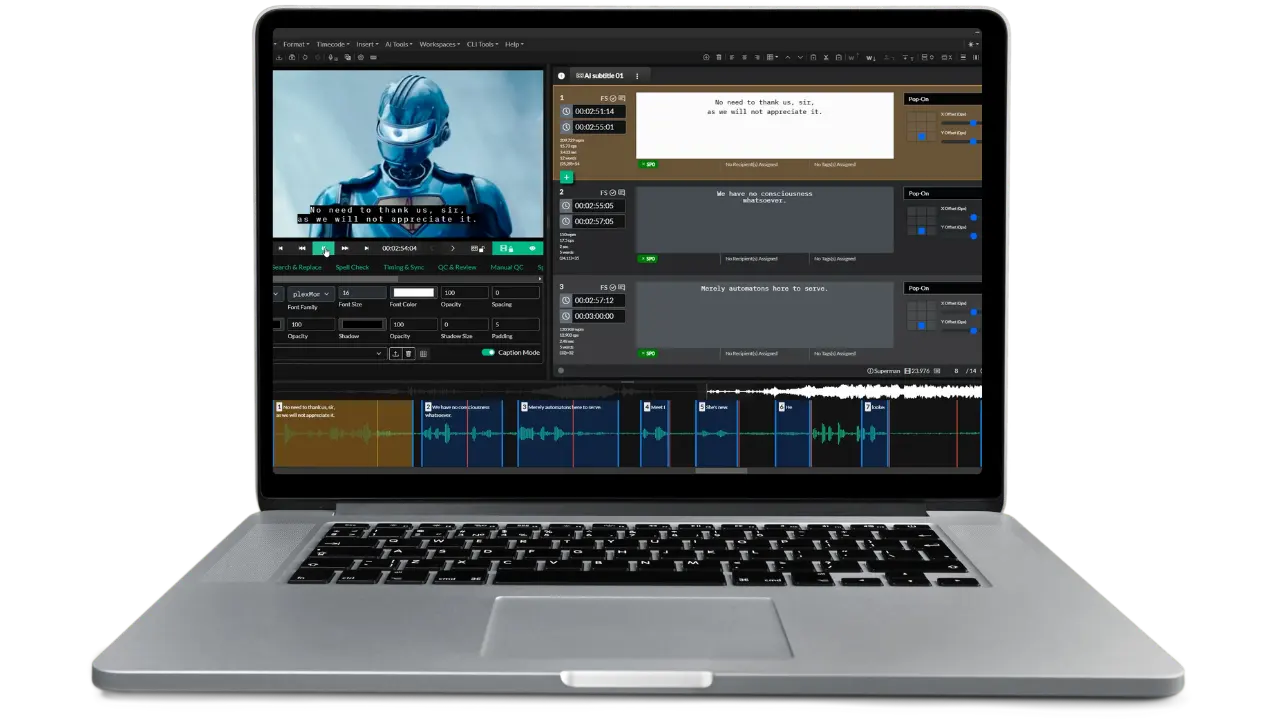







Build more powerful caption workflows by connecting Closed Caption Converter directly to the services you already use. Our API connectors let you leverage your existing accounts with leading transcription, translation, storage, and platform providers. Reduce costs while gaining capabilities that go far beyond what these services offer alone.





| Service Provider | Type | Comments |
|---|---|---|
| Deepgram | Transcription | Support for Transcription and Sync |
| Assembly AI | Transcription | Support for Transcription and Sync |
| Speechmatics | Transcription | Support for Transcription and Sync |
| RevAI | Transcription | Support for Transcription and Sync |
| AWS S3 | Storage | Deliver files to S3 Storage |
| Google Cloud Storage | Storage | Deliver files to Google Cloud Storage using dedicated service account |
| Backblaze B2 | Storage | Deliver files to Backblaze B2 (using S3 driver) |
| Azure Blob Storage | Storage | Deliver files to Azure Blob Storage |
| DeepL | Translation | Full translation support with continuous context |
| ModernMT | Translation | Full translation support with continuous context |
| Google Translate | Translation | Full translation support with continuous context |
| Amazon Translate | Translation | Full translation support with continuous context |
| Gemini | Translation | Full translation support with continuous context |
| OpenAI | Translation | Full translation support with continuous context |
| Azure AI Translator | Translation | Full translation support with continuous context |
| Iconik MAM | Platform | Read and write subtitle files from Iconik MAM. Sync, transcribe, and translate media from Iconik. |
| Closed Caption Creator | Platform | Register projects in Closed Caption Creator for users to manually review and edit. |
Generate accurate captions with your preferred speech-to-text provider
Turn audio into broadcast-ready captions using industry-leading transcription services like Deepgram, Assembly AI, Speechmatics, or RevAI—all through a single API call. While these providers excel at speech recognition, they typically output raw JSON transcripts that aren't suitable for broadcast delivery. Our connectors handle the complete workflow: transcribe using your provider account at their direct rates, then automatically convert results into properly formatted SCC, SRT, WebVTT, or any caption format your delivery specs require. We'll handle timecode alignment, caption block segmentation, and format-specific validation so you get production-ready files, not just transcripts.
Transcription service providers support both transcribe (audio-to-text) and align (sync existing text to audio) job types. Configure your provider in the transcribe_options object, and pass provider-specific parameters through provider_options.
Transcription (Deepgram)
...
"job_type" : "transcribe",
"transcribe_options" : {
    "source_language" : "en",
    "provider_id" : "transcription_provider_id",
    "provider_options" : {
        //PROVIDER OPTIONS ARE PASSED THROUGH
        "model" : "general",
        "tier" : "nova",
        "punctuate" : true,
        "diarize" : false,
        "utterances" : true,
        "utt_split" : 0.8
    }
},
...
Transcription (Assembly AI)
...
"job_type" : "transcribe",
"transcribe_options" : {
    "source_language" : "en",
    "provider_id" : "transcription_provider_id",
    "provider_options" : {
        //PROVIDER OPTIONS ARE PASSED THROUGH
        "speaker_labels" : true
    }
},
...
Transcription (Speechmatics)
...
"job_type" : "transcribe",
"transcribe_options" : {
    "source_language" : "en",
    "provider_id" : "transcription_provider_id",
    "provider_options" : {
        //PROVIDER OPTIONS ARE PASSED THROUGH
        "operating_point": "enhanced",
        "diarization": "speaker"
    }
},
...
Automatic Sync/Alignment (Deepgram)
...
"job_type" : "align",
"transcribe_options" : {
    "source_language" : "en",
    "provider_id" : "transcription_provider_id",
    "provider_options" : {
        //PROVIDER OPTIONS ARE PASSED THROUGH
        "model" : "general",
        "tier" : "nova",
        "punctuate" : true,
        "diarize" : false,
        "utterances" : true,
        "utt_split" : 0.8
    }
},
"media_path": "https://presigned-url-to/media.mp4",
...
Note: Provider options are passed directly to the transcription service. Refer to your provider's API documentation for available parameters and their supported values. The media_path for alignment jobs must be a publicly accessible or presigned URL to your media file.
Translate subtitles while preserving context and broadcast formatting
Deliver multilingual content faster by connecting to translation engines like DeepL, Google Translate, Gemini, ModernMT, OpenAI, or Amazon Translate. Translating subtitle files presents unique challenges—long captions must be split intelligently, context needs to carry across caption blocks, and timing constraints must be respected. Our translation connectors manage this complexity for you: we intelligently batch captions to preserve context, handle character-per-second limitations for different languages, maintain proper formatting and positioning codes, and ensure the translated output meets broadcast technical specifications. Get professional-quality translated subtitle files in one job, not the fragmented results you'd get from passing raw text to a translation API.
Translation service providers require a translate job type and are configured in the translate_options object. Specify your provider using the provider_id from your dashboard, along with source and target language codes supported by your chosen provider. Language codes are passed through directly to the provider.
Machine Translation (all)
...
"job_type" : "translate", //!important
"translate_options" : {
    "provider_id" : "translation_provider_id",
    "source_language": "en", //use language codes based on provider support
    "target_language": "it" //use language codes based on provider support
},
...
Deliver outputs directly to your cloud infrastructure
Streamline your delivery pipeline by connecting Closed Caption Converter directly to your cloud storage. Add your S3, Azure Blob Storage, Backblaze B2, or Google Cloud Storage account, and have all job outputs automatically delivered to your specified buckets and paths. No need to retrieve files from our servers and re-upload them to your infrastructure—we'll write directly to your storage with proper folder structures, naming conventions, and metadata. Perfect for automated workflows where caption files need to land alongside video assets, trigger downstream processes, or integrate with your existing media management infrastructure.
Storage service providers are configured in the delivery_options object of your job request. Specify your provider using the provider_id you created in the dashboard, then pass provider-specific configuration through provider_options.
AWS S3 and Backblaze B2 Storage
...
"delivery_options": {
    "provider_id": "service_provider_id",
    "provider_options": {
        "bucket" : "bucket-name",
        "region" : "us-east-2",
        "key" : "path/to/file.srt"
    }
}
...
GCS Storage
...
"delivery_options": {
    "provider_id": "gcs_provider_id",
    "provider_options": {
        "projectId" : "your-project-id",
        "clientEmail" : "username@demo-app.iam.gserviceaccount.com",
        "bucket" : "gcs-bucket-name",
        "fileName" : "filename.srt"
    }
}
...
Azure Storage
...
"delivery_options": {
    provider_id": "azure_provider_id",
    "provider_options": {
        "container" : "container-name",
        "blobName" : "fileName.srt"
    }
}
...
Integrate caption workflows into your media asset management systems and professional editors
Connect your caption processing directly into the platforms where your content lives. Our Iconik MAM connector reads subtitle files from assets, processes them through any Converter workflow, and writes results back to the same asset—all without leaving your MAM environment. The Closed Caption Creator connector goes a step further: automatically register processed caption files as review projects that your captioning team can access, edit, and refine in our professional editor. These platform integrations eliminate manual file transfers and create seamless handoffs between automated processing and human review, keeping your entire workflow connected and traceable.
Platform service providers integrate caption workflows directly into your media asset management and editing systems. Like storage providers, they deliver output files, but they also interact with the platform's API to register files and maintain associations within your asset database.
The Iconik connector enables seamless caption processing within your Iconik environment. When configured, Closed Caption Converter automatically reads subtitle files from assets, processes them according to your job specifications, and writes the results back to the original asset.
POST https://api.closedcaptionconverter.com/iconik
When a job is submitted through the /iconik endpoint, Closed Caption Converter automatically:
Need help setting up the Iconik integration? Contact our support team for assistance with Custom Action configuration.
Sign up for a free 7-day trial of Closed Caption Converter and receive access to 1:1 developer support and our video tutorials.
Start automating your closed caption workflows using Closed Caption Converter. Convert, conform, and deliver closed caption files in over 30 different formats.
Start a Free TrialContact UsWe release new videos every month highlighting new features and workflows.
Watch NowOur User Guide is a great resource for anyone who needs to quickly search for a solution.
Read User GuideEvery caption workflow is different, so we built three solutions to match your needs: start with our simple web application for fast conversions, scale with our cloud API for automated processing and third-party integrations, or deploy our CLI for on-premise and offline processing.
Need to convert a few caption files quickly? Our web application runs entirely in your browser with no downloads or uploads required. Your files stay secure on your device while processing happens locally—just select, convert, and download.
Learn MoreThe most advanced closed caption API available, with features beyond conversion. Add transcription, machine translation, forced alignment/sync, and direct delivery to cloud storage and managed platforms such as Iconik.
Sign Up NowBuilt for secure, on-premise environments where internet access is restricted. Available for Mac, Windows, and Linux. This single file executable is easy to deploy and manage using custom presets.
Learn More