Job History Dashboard
The Job History Dashboard provides a complete audit trail of every job submitted under your account, whether from the web application, the API, or the CLI (when connected to your account). It is accessible from the main navigation in the Closed Caption Converter dashboard.
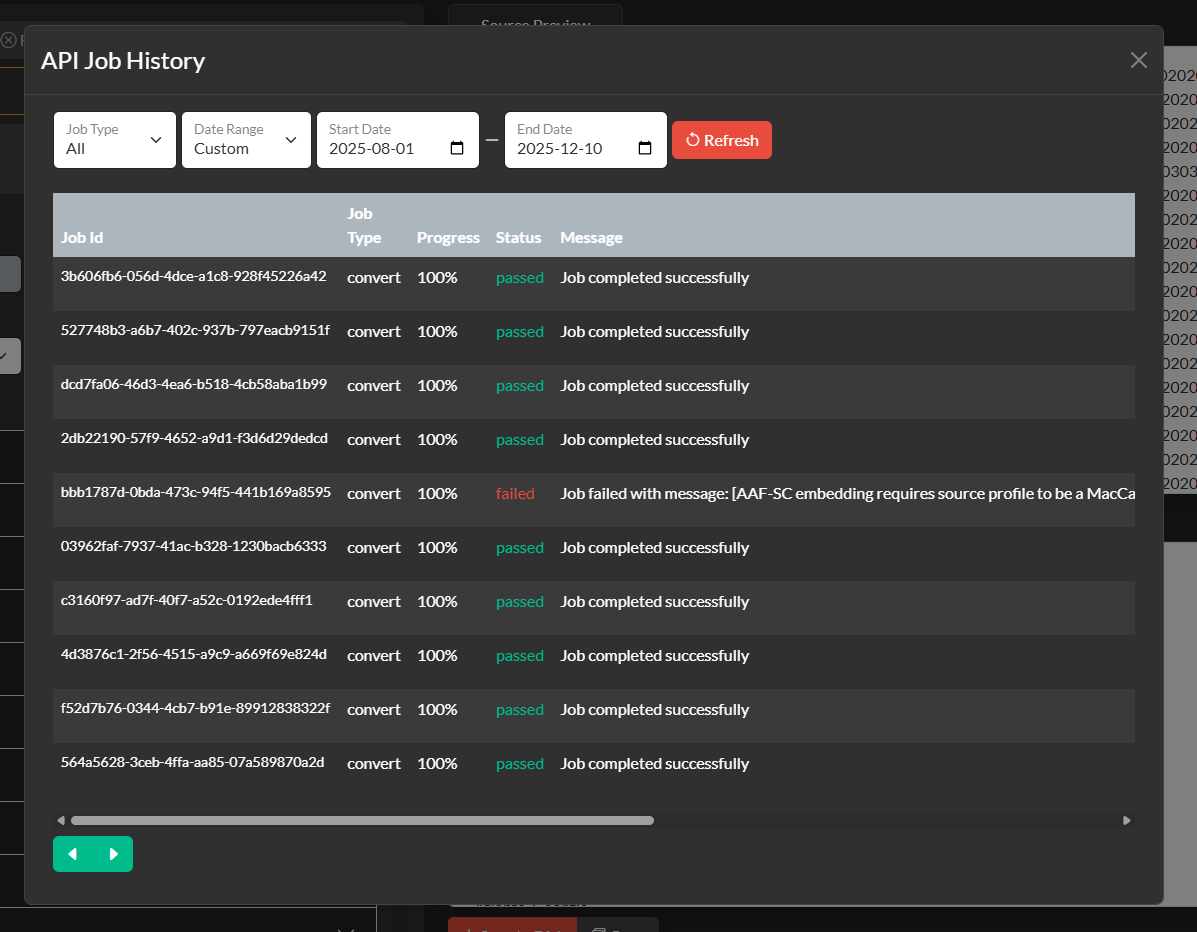
What Is Recorded
Every job submission creates a history entry that records the job ID, timestamp, job type, source and target profiles, frame rate, job status (completed, failed, or processing), and any error messages returned for failed jobs. For jobs that produced output files, the history entry retains a link to download the output for a configurable retention period.
Job Statuses
| Status | Description |
|---|---|
completed | The job finished successfully and output is available. |
failed | The job encountered an error during processing. The error message is displayed in the job detail view. |
processing | The job is currently being processed. This status is most common for long-running jobs such as transcription. |
queued | The job has been accepted and is waiting in the processing queue. |
Using Job History for Debugging
When a job fails the Job History dashboard is the first place to investigate. The detail view for each failed job includes the full error message returned by the processing engine, the Job Description that was submitted, and the source file name. Common causes of job failures include:
- A mismatch between the selected source profile and the actual file format (for example, selecting the Scenarist SCC profile for a file that is actually a TTML XML file).
- Encoding option values that are invalid for the selected profile.
- A
media_pathURL that the server cannot access (expired pre-signed URLs, private endpoints, or incorrect permissions). - Malformed JSON in the
configfield.
Webhook Notifications
Rather than polling the API for job status, you can configure a webhook URL in your Job Description. When the job completes (whether successfully or with a failure), Closed Caption Converter will POST a notification to the webhook URL with the job result payload. This is the recommended approach for high-volume automated workflows where polling would be inefficient.
{
  "job_type": "convert",
  "source_profile": "SubRip Video Subtitle Script",
  "target_profile": "WebVTT",
  "webhook": "https://your-server.example.com/webhooks/cc-converter"
}
The webhook payload is the same JSON structure as the synchronous API response, allowing you to process it with the same code.