API Getting Started
The Closed Caption Converter API is a REST API that provides programmatic access to the full conversion engine, including format conversion, automatic conform workflows, transcription, machine translation, and delivery. Every feature available in the web application is accessible via the API, plus additional capabilities enabled by Access Providers.
Base URL
All API requests are made to:
https://api.closedcaptionconverter.com
If your team has been provisioned with a client-specific staging or production endpoint, use the URL supplied for that environment instead of the public default above.
Authentication
Every API request must be authenticated using an API key passed as a custom header:
x-api-key: YOUR_API_KEY
To generate an API key, sign in to the dashboard, open API Keys from the top navigation, and click Generate Key. Each key is associated with your account and inherits your subscription's rate limits and feature access.
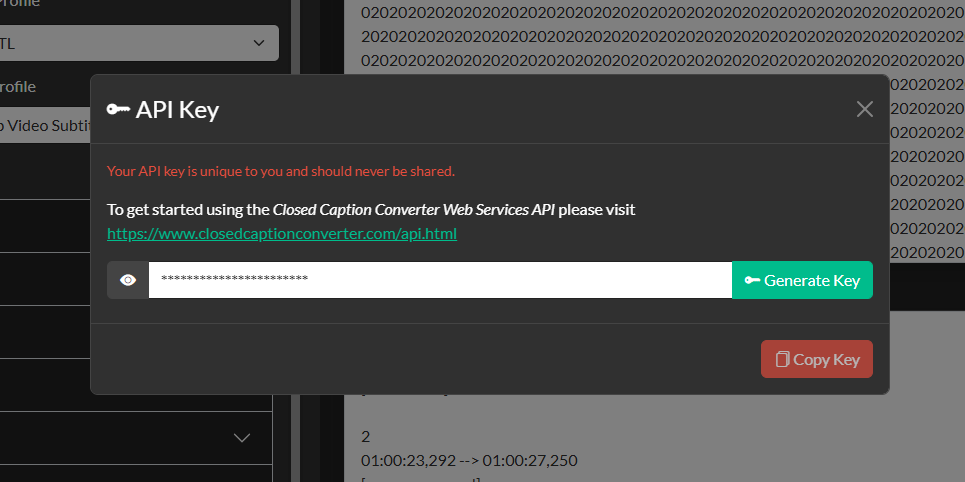
Keep your API key secure. Do not include it in client-side code or commit it to version control. If a key is compromised, you can revoke it from the dashboard and generate a replacement immediately.
Your First Request
The primary endpoint for submitting caption processing jobs is POST /jobs. The request body is a multipart/form-data payload with two fields:
| Field | Type | Description |
|---|---|---|
source | File or URL string | The source caption file, either uploaded as binary data or provided as a publicly accessible URL. |
config | JSON string | The Job Description object that instructs the API what to do with the source file. |
You do not need to include every possible conversion parameter in config. Omitted values use the engine defaults or the selected profile defaults.
The following example converts a SubRip (SRT) file to WebVTT using curl:
curl -X POST https://api.closedcaptionconverter.com/jobs \
  -H "x-api-key: YOUR_API_KEY" \
  -F "source=@/path/to/input.srt" \
  -F 'config={
    "job_type": "convert",
    "source_profile": "SubRip Video Subtitle Script",
    "target_profile": "WebVTT",
    "default_frameRate": 29.97
  }'
A successful response returns a JSON object containing the converted file as a base64-encoded string along with job metadata:
{
  "id": "abc12345-...",
  "status": "completed",
  "output": "<base64 encoded file content>",
  "output_extension": "vtt",
  "created_at": "2026-03-09T14:00:00Z"
}
Submitting a Job from a URL
If your source file is hosted at a publicly accessible URL (or a pre-signed URL for private cloud storage), you can pass the URL string in the source field instead of uploading the file directly:
curl -X POST https://api.closedcaptionconverter.com/jobs \
  -H "x-api-key: YOUR_API_KEY" \
  -F "source=https://your-bucket.s3.amazonaws.com/captions/input.srt" \
  -F 'config={
    "job_type": "convert",
    "source_profile": "SubRip Video Subtitle Script",
    "target_profile": "EBU STL"
  }'
Using a Preset
If you have saved a Job Preset in the dashboard, you can reference it by ID instead of passing a full config object. Closed Caption Converter will retrieve the stored Job Description and apply it to your source file:
curl -X POST https://api.closedcaptionconverter.com/jobs \
  -H "x-api-key: YOUR_API_KEY" \
  -F "source=@/path/to/input.srt" \
  -F "preset_id=your-preset-id"
See API — Presets for details on creating and managing presets.
Postman Collection
A Postman collection is available directly from the Closed Caption Converter web application. After setting up your job in the web application, open the Job Description modal (accessible from the toolbar) and click Download Postman Collection. The collection includes pre-configured requests for file upload and URL-based submissions using your current API key and job configuration, and can be imported directly into Postman or any compatible REST client.
Rate Limits & Error Handling
The API returns standard HTTP status codes. A 200 response indicates a successfully completed job. A 400 response indicates a malformed request or invalid configuration. A 401 response indicates a missing or invalid API key. A 429 response indicates that the rate limit for your subscription tier has been reached.
All error responses include a JSON body with a message field that describes the problem:
{
  "status": "error",
  "message": "Invalid source_profile: 'SubRip'. Did you mean 'SubRip Video Subtitle Script'?"
}